This article explains what happens after you show interest in an External Proposal.
When you select “Show Interest” on a proposal, it automatically moves from your Inbox to “Proposals in Progress.” This section is where you manage opportunities that you are preparing to respond to by nominating candidates.
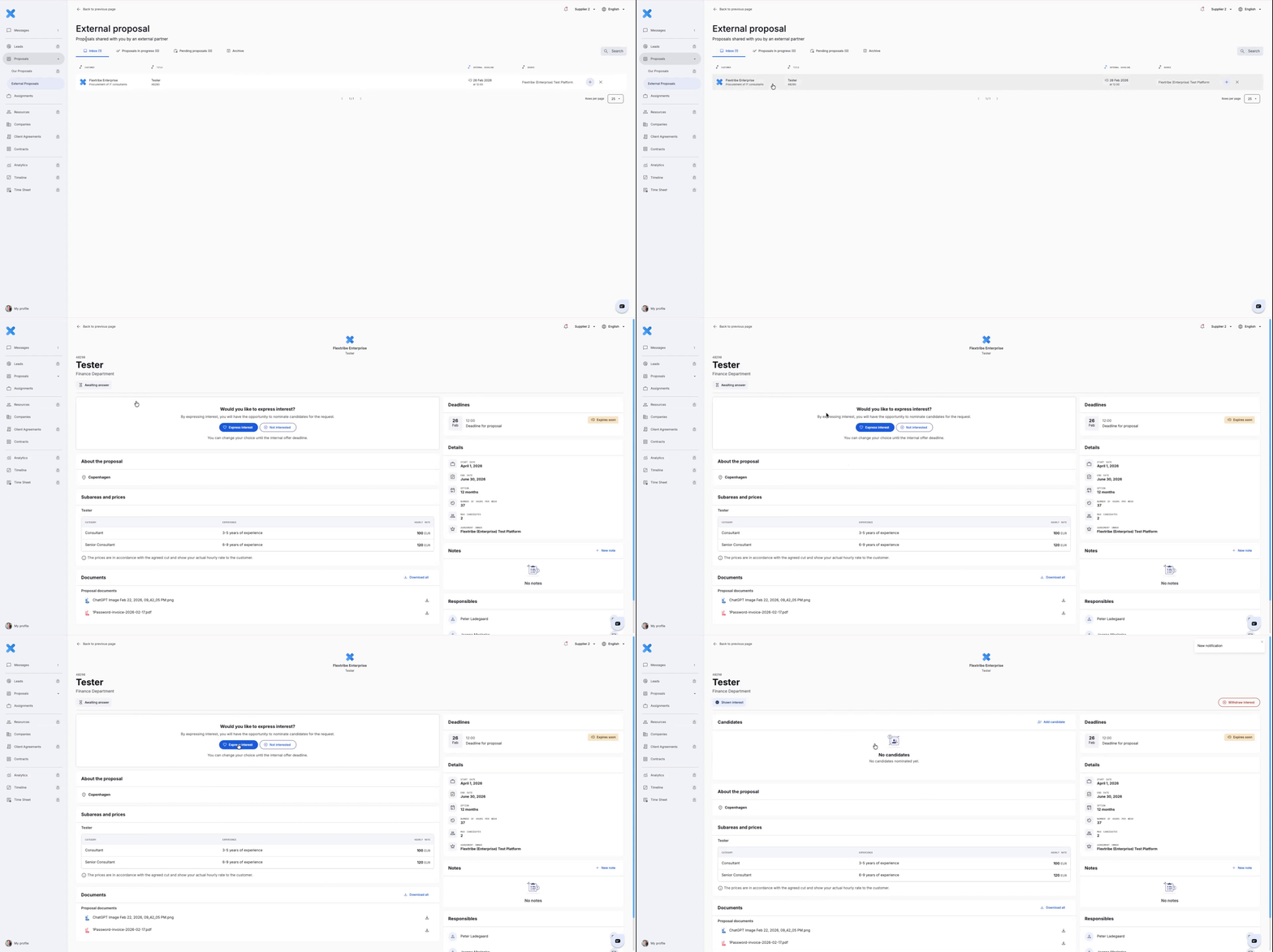
If the request is relevant:
Express Interest – Select this option if the project is relevant to your organisation and you intend to nominate a candidate. This signals to the enterprise that you are preparing to nominate candidates very soon.
If the request is NOT relevant:
Not interested – Select this option if the opportunity does not align with your services, expertise, or availability. Declining proposals that are not a strong match helps maintain focus and supports a credible supplier profile.
Proposals in Progress are External Proposals where you have already shown interest and are actively preparing a response. This section contains opportunities that are part of your current pipeline, allowing you to manage candidate nominations, track deadlines, and monitor submission status. A proposal remains in this section until the submission deadline has passed or the process moves into the evaluation phase.
Important Reminder
You can only nominate candidates while the proposal deadline is still open. Once the deadline has passed, submissions are locked and the proposal moves into the enterprise evaluation phase.
Written for Freemium suppliers. Paying customer? Reach out to hello@flextribe.io.
Was this article helpful?
That’s Great!
Thank you for your feedback
Sorry! We couldn't be helpful
Thank you for your feedback
Feedback sent
We appreciate your effort and will try to fix the article