This article explains how to withdraw or edit a nominated candidate within an External Proposal.
In some situations, you may need to withdraw a candidate after nomination, for example, if availability changes or the candidate is no longer interested in the assignment. The platform allows you to manage this directly to ensure transparency and timely notification to the enterprise.
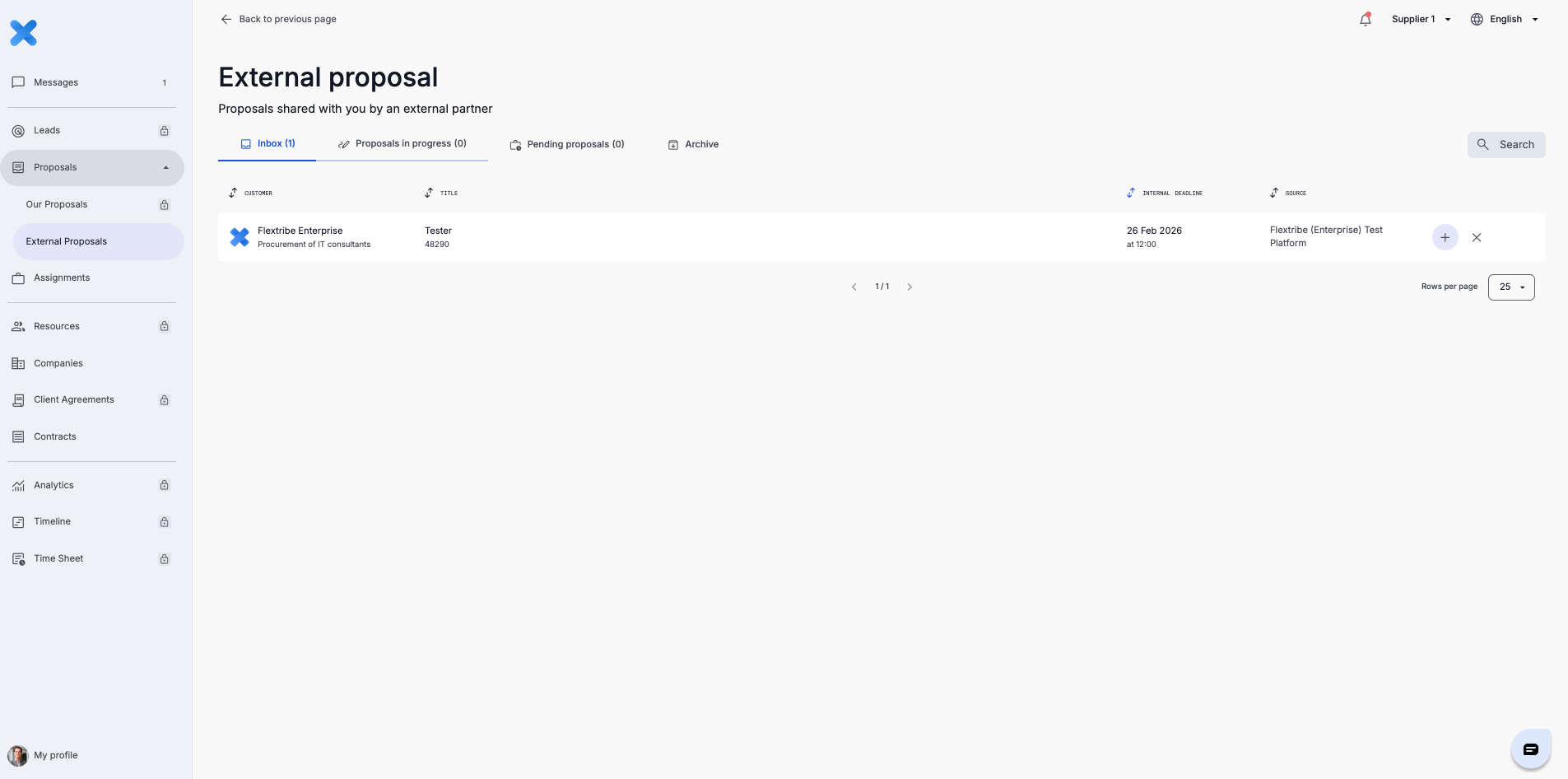
To withdraw a candidate, navigate to “External Proposals” in the left-hand menu and open the relevant proposal from the overview.
Locate the nominated candidate and click on their name. This will open the candidate detail view in the sidebar.
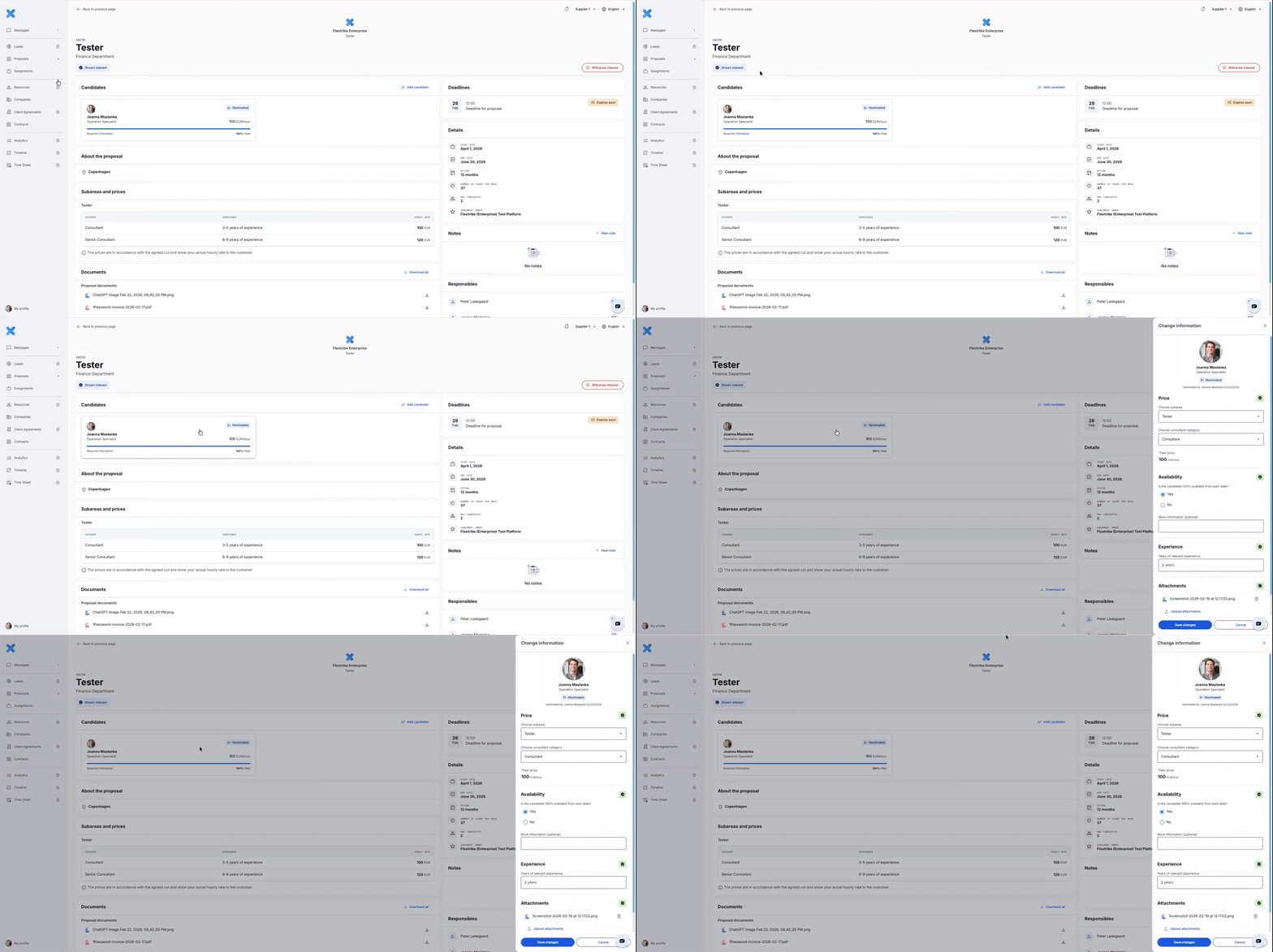
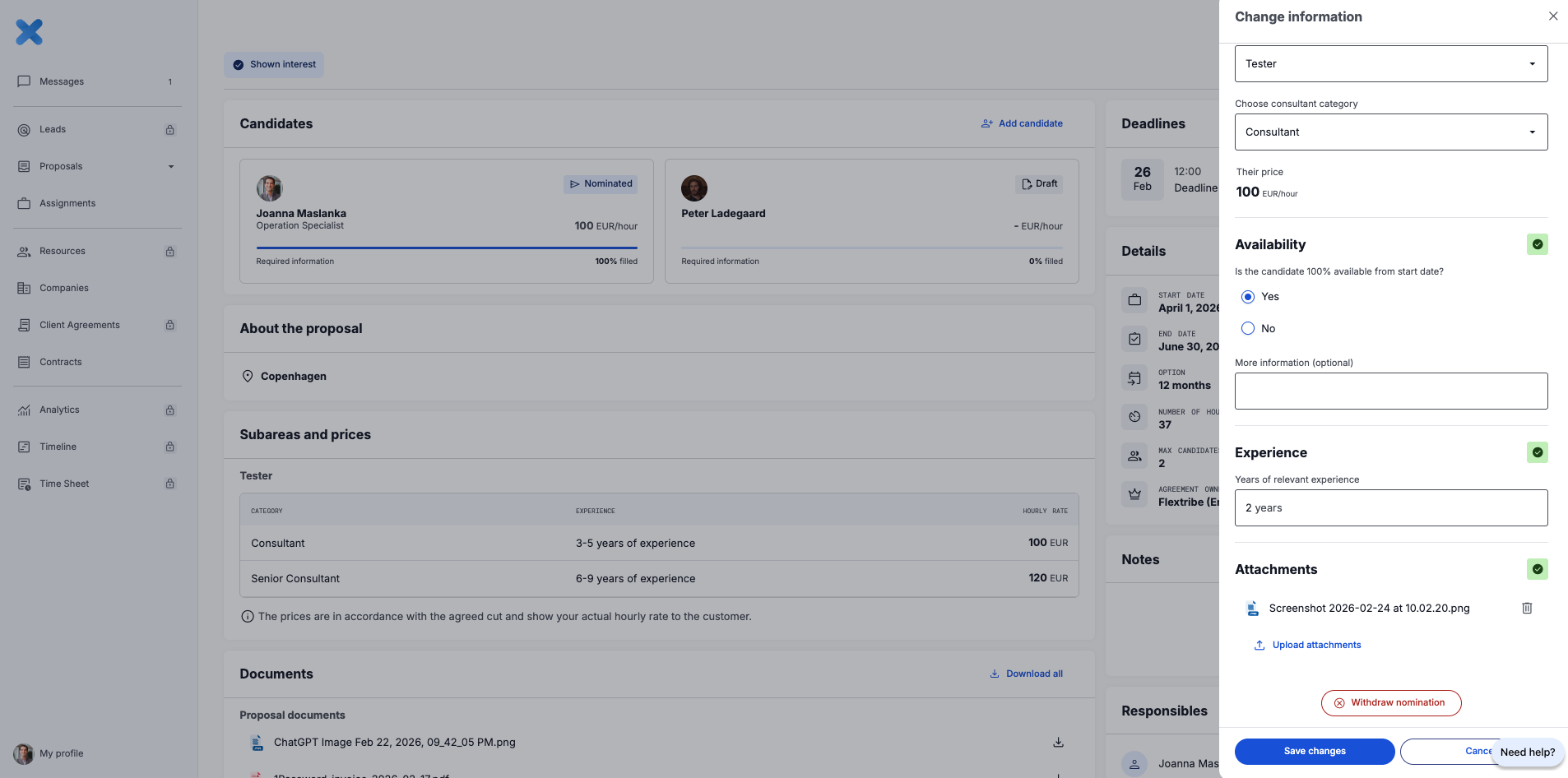
Within the candidate details, select “Withdraw Candidate.” A confirmation message will appear asking you to confirm the action.
The withdrawal is only completed once you confirm. After confirmation:
The candidate is officially removed from the External Proposal
The enterprise is notified that the candidate is no longer available
The candidate will no longer be visible under that proposal
If required, you may nominate the candidate again, provided the submission deadline has not passed.
Important deadline notice
If the proposal submission deadline has passed, you will no longer be able to edit the nomination or re-submit a withdrawn candidate. At this stage, the proposal moves fully into the enterprise’s evaluation phase.
Managing nominations proactively and keeping candidate information accurate helps maintain trust and transparency within the enterprise ecosystem.
Written for Freemium suppliers. Paying customer? Reach out to hello@flextribe.io.
Was this article helpful?
That’s Great!
Thank you for your feedback
Sorry! We couldn't be helpful
Thank you for your feedback
Feedback sent
We appreciate your effort and will try to fix the article