This article explains how to nominate and add a candidate that clearly communicates your value and increases your chances of being selected.
On our platform, clients often review multiple candidates within a short timeframe. A strong, well-structured proposal helps you stand out and makes it easier for the client to quickly understand why your candidate is the right fit.
Clear and relevant proposals not only improve your chances of winning a specific request but also strengthen your position for future invitations.
After clicking “Express interest” you will enter the proposal submission flow.
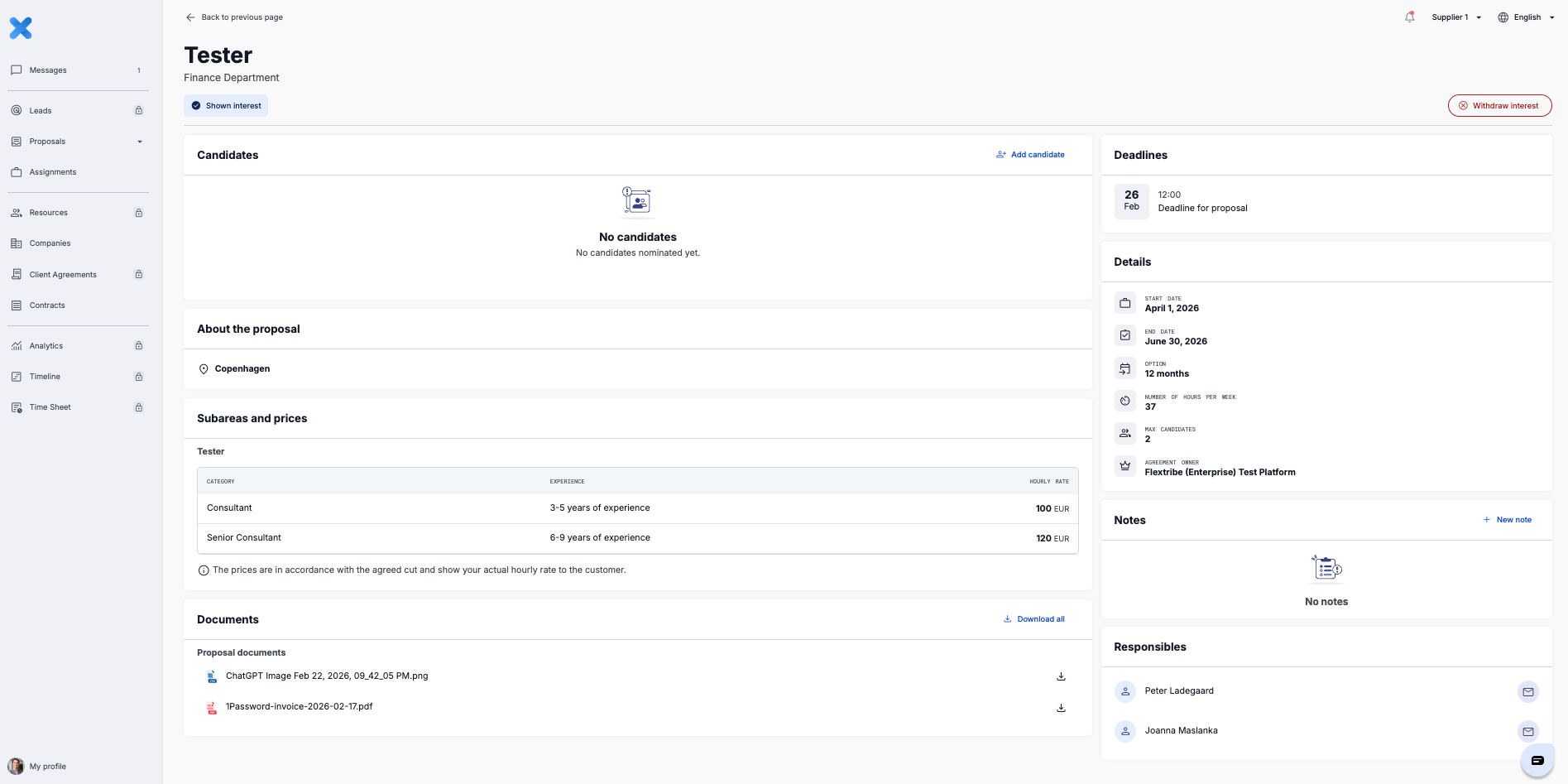
Here, you add your candidate and supporting details. This includes selecting or uploading a consultant profile. Click on the 'add candidate' button, and choose from your list.
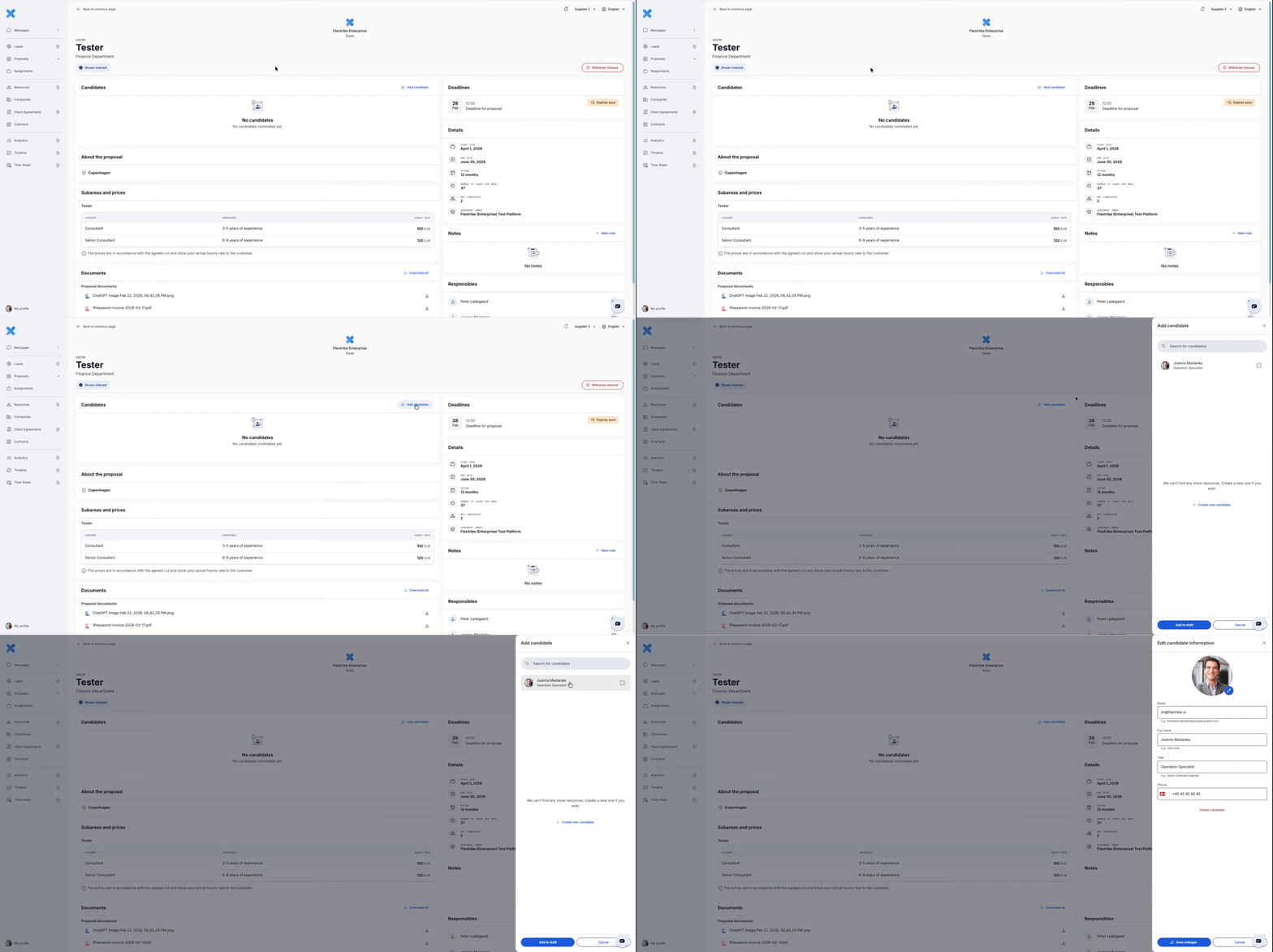
Once the candidate has been chosen, keep in mind to add availability and rate, and include a short description of why the candidate is a strong match. Focus on aligning your proposal directly with the request. Avoid generic wording.
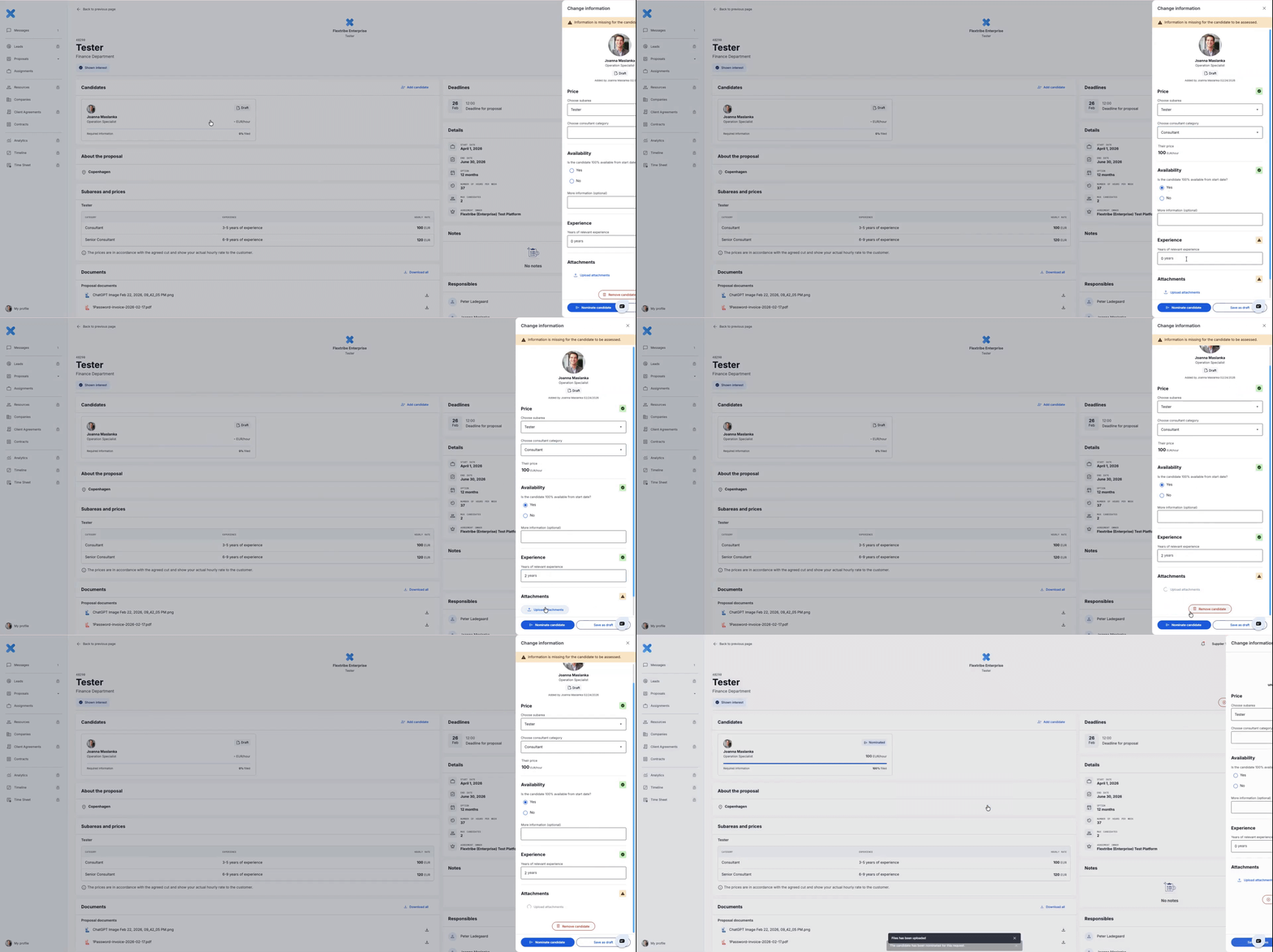
Before submitting, review all fields to ensure the information is complete and accurate. Then click “Nominate candidate.”
A clear and tailored proposal makes it easier for the client to evaluate your candidate and increases the likelihood of moving forward in the process.
Creating a New Candidate
If the consultant you wish to nominate is not already in your list, open the candidates bar and select “Create New Candidate.”
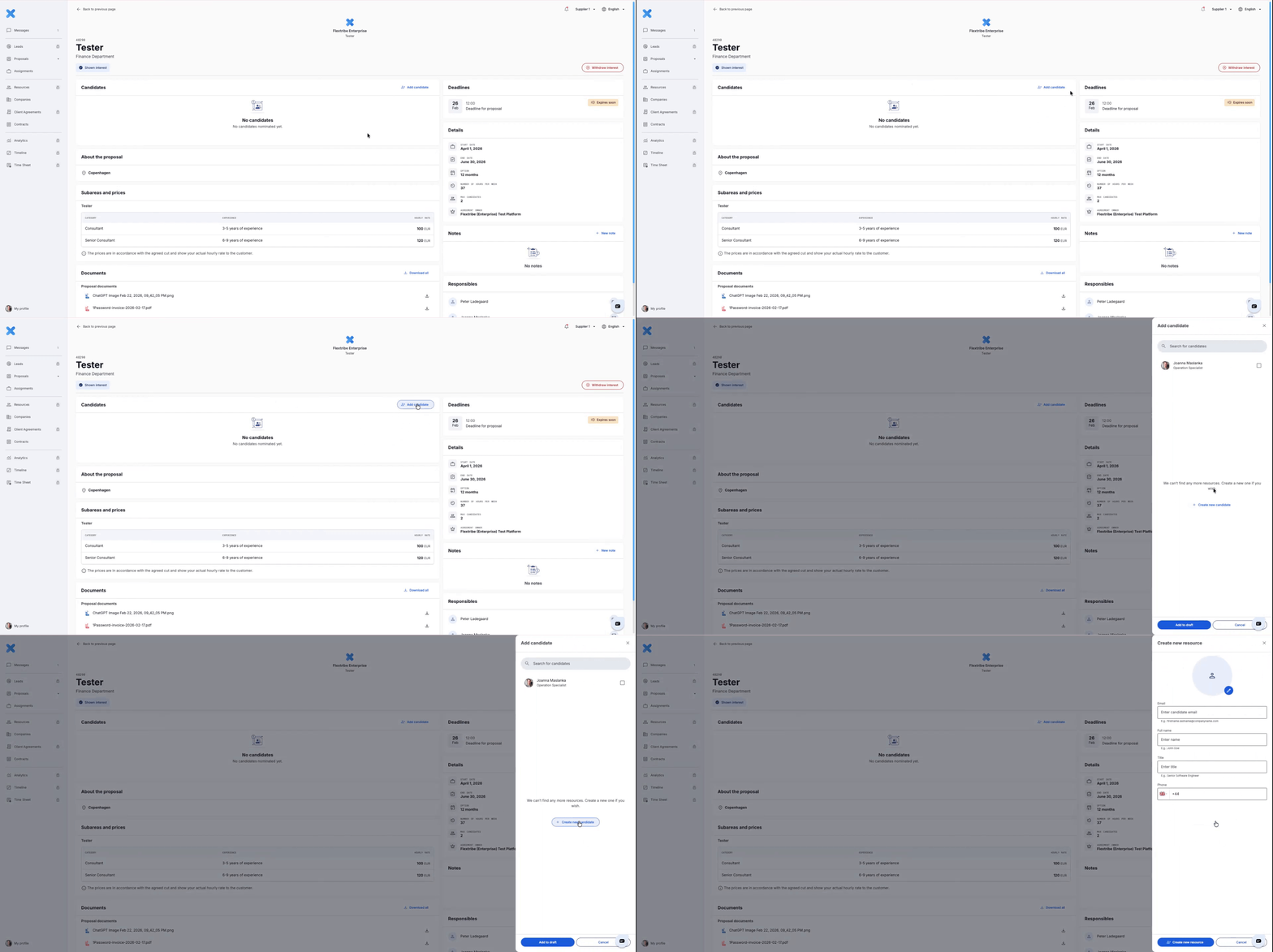
You will be prompted to enter the candidate’s basic details, including:
Name
Title
Email address
Phone number
Accurate contact information ensures smooth coordination if the candidate progresses to interview stage.
You will also have the option to upload a profile picture. While not mandatory, this is strongly recommended. A professional image supports the evaluation process and adds a personal dimension to the submission.
When a candidate is added, they are initially saved in Draft status.
A Draft candidate is only visible to you and your internal team. The requesting organisation, whether Enterprise or Agency, is not notified at this stage.
This allows you to prepare the nomination properly before submitting it.
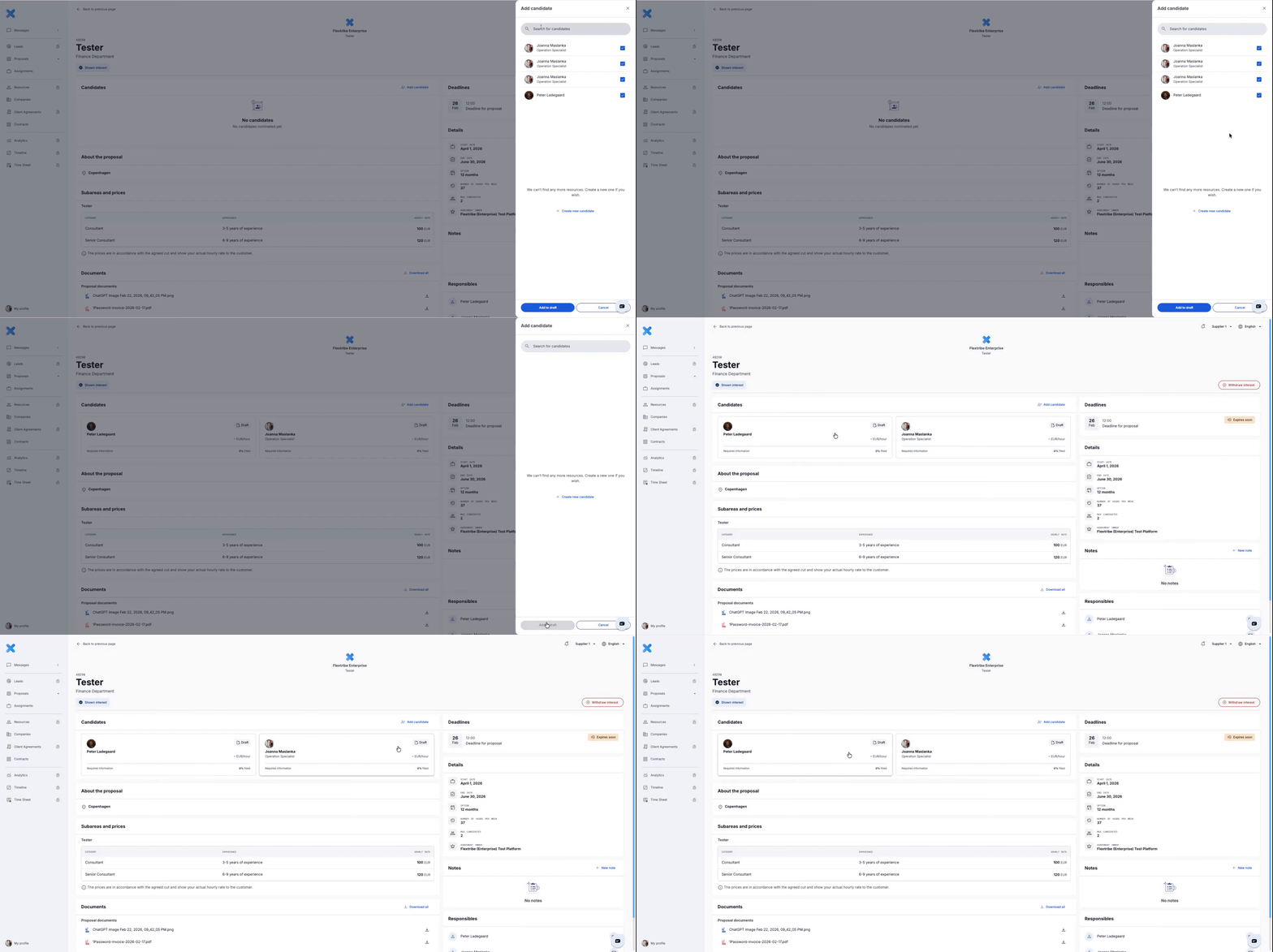
Same as when nominating a candidate, you must complete all required details before submitting. Make sure to add the candidate’s availability and rate, and include a short, clear description explaining why this specific consultant is a strong match for the request. Align your explanation directly with the requirements outlined in the proposal.
Written for Freemium suppliers. Paying customer? Reach out to hello@flextribe.io.
Was this article helpful?
That’s Great!
Thank you for your feedback
Sorry! We couldn't be helpful
Thank you for your feedback
Feedback sent
We appreciate your effort and will try to fix the article