What Is a Framework Agreement
A framework agreement is a configuration created and maintained by Procurement inside Flextribe.
It is the structural foundation that allows Hiring Managers to create Requests for Service.
Without an active framework agreement, consultants cannot be requested.
The framework agreement ensures:
Governance and control
Compliance with agreed pricing
Correct supplier management
Standardised documentation
Transparent competition when applicable
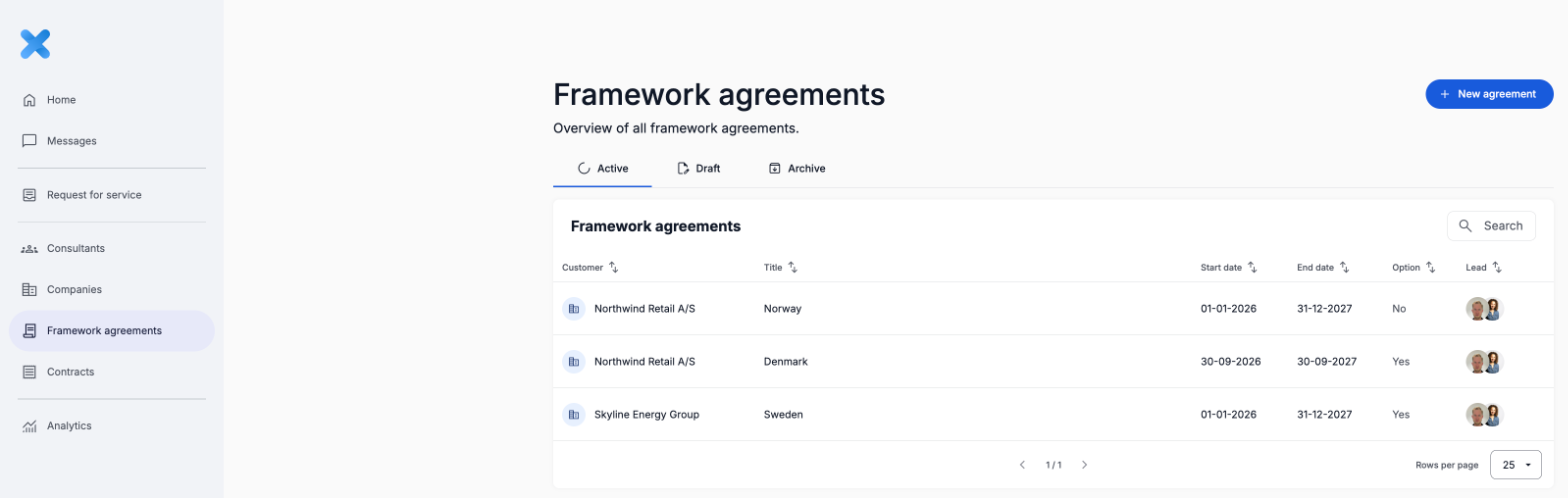
Create a New Framework Agreement
Navigate to:
Framework agreements (left-hand menu) → New agreement
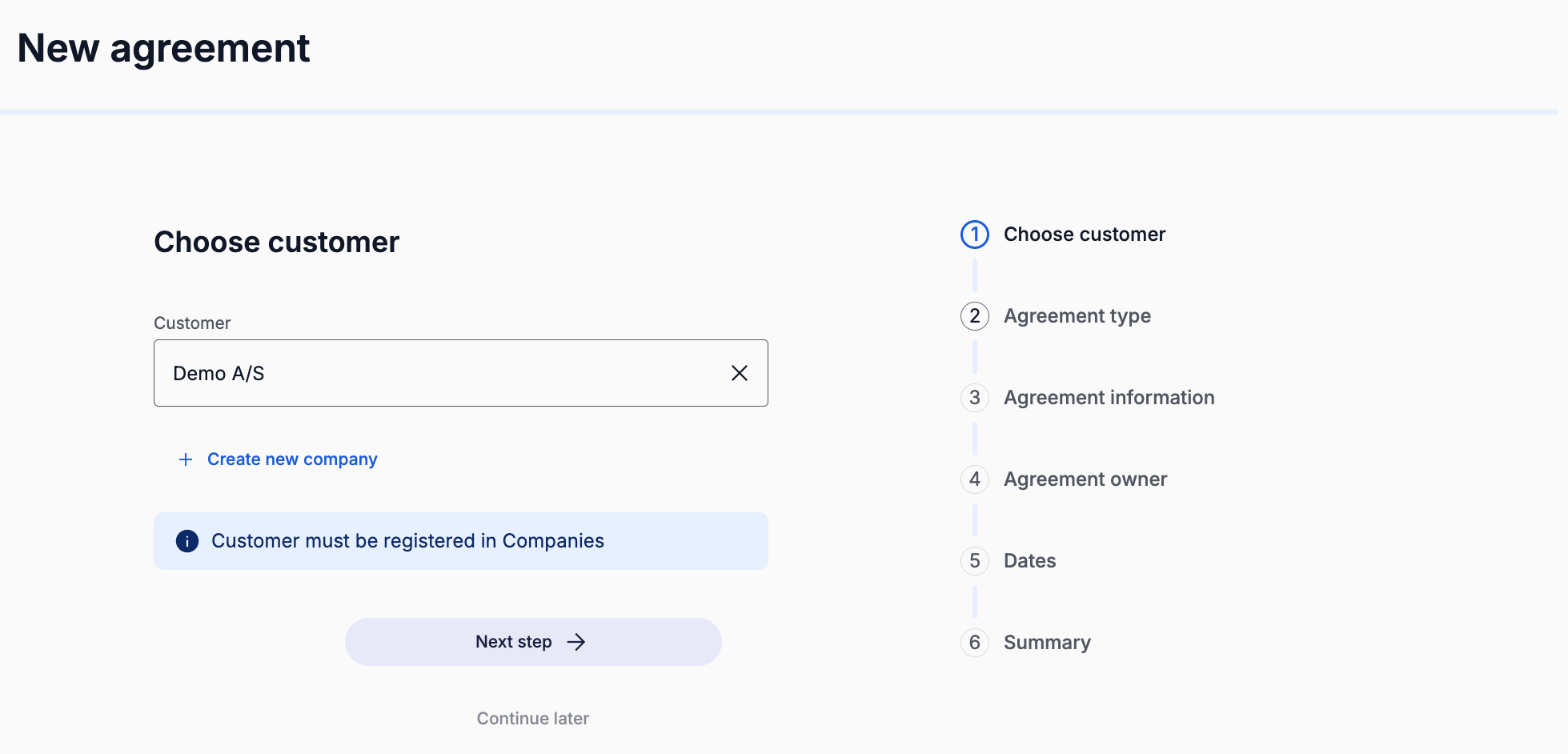
Select or Create the Customer
When creating a new framework agreement, you must first select the customer.
You can:
Choose an existing company from the list
Or create a new company from scratch
If creating a new company, you will need to provide:
Company name
Unique company registration number
Company domain
Contact information for the responsible person:
Name
Email
Phone number
The responsible person will typically be the main operational contact for the agreement.
Accurate company data ensures correct governance, reporting, and compliance tracking.
Choose Agreement Type
Next, you define the pricing structure of the agreement.
Select Framework agreement, choose the price structure that matches the prices you have negotiated with your suppliers, and set the currency of the agreement.
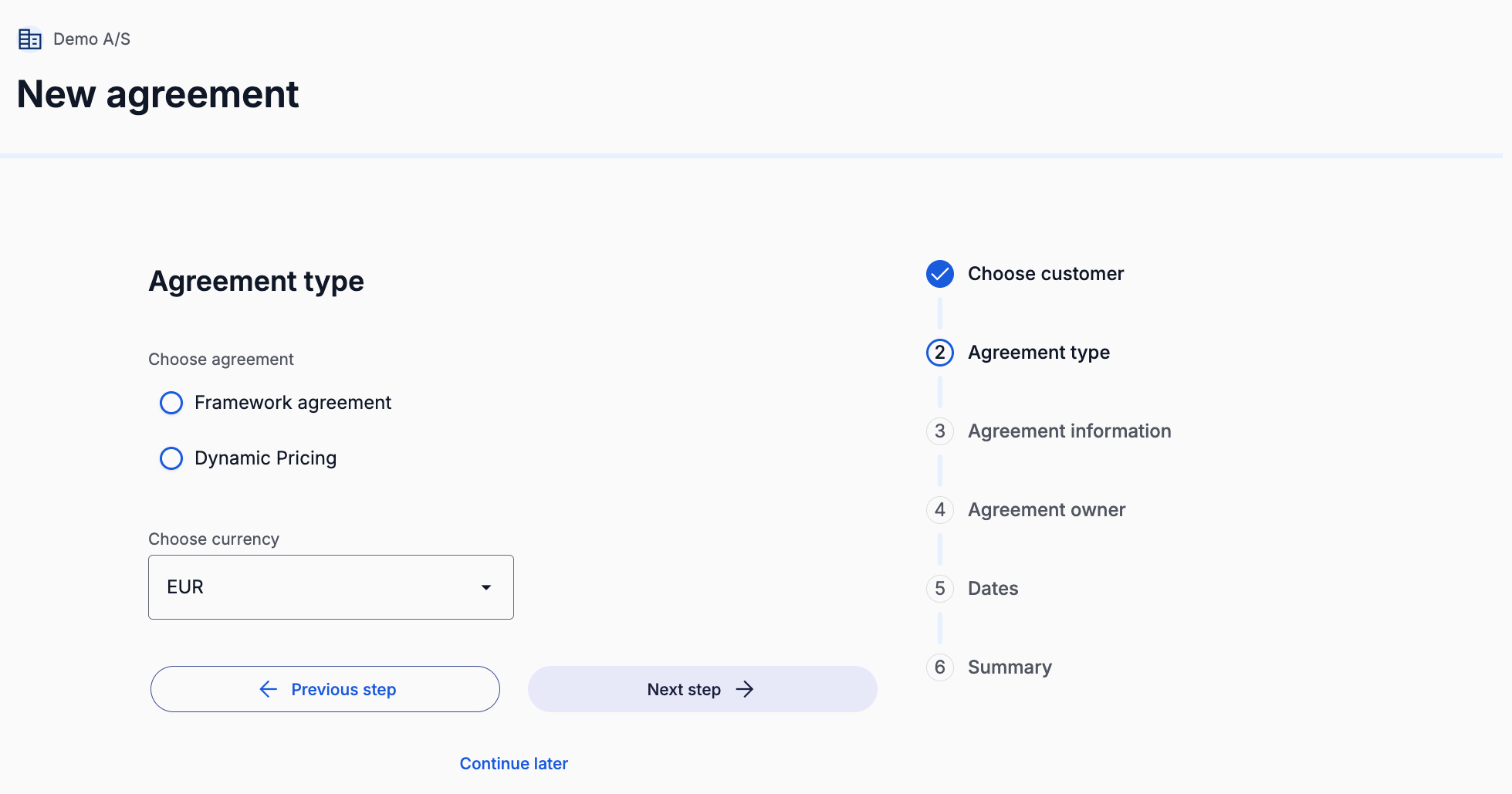
The selected agreement type determines how suppliers are allowed to price their candidates and how competitive the sourcing process will be.
Choose the structure that aligns with your internal governance model and pricing strategy.
Agreement Details
You will then define the core agreement data.
Required fields include:
Agreement number (optional) - this is an internal agreement number eg. month and a year of the agreement
Agreement name
These should follow your internal naming conventions to ensure traceability and audit clarity.
Are you the agreement owner?
Select:
Yes, if the agreement belongs solely to this entity
No, if the agreement is shared across sister companies or multiple legal entities
This ensures the correct organisational structure is reflected in the system.
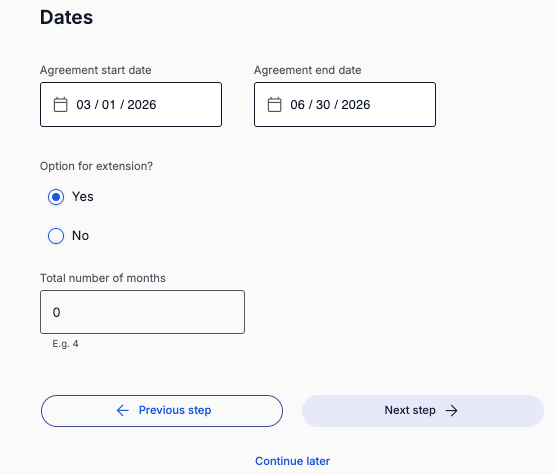
Define Agreement Period
Next, define the validity period:
Start date
End date
The agreement must have an active date range to allow Requests for Service to be created.
Once the end date is reached, the agreement will no longer be available for new requests unless extended.
Defining clear time boundaries supports compliance and contract governance.
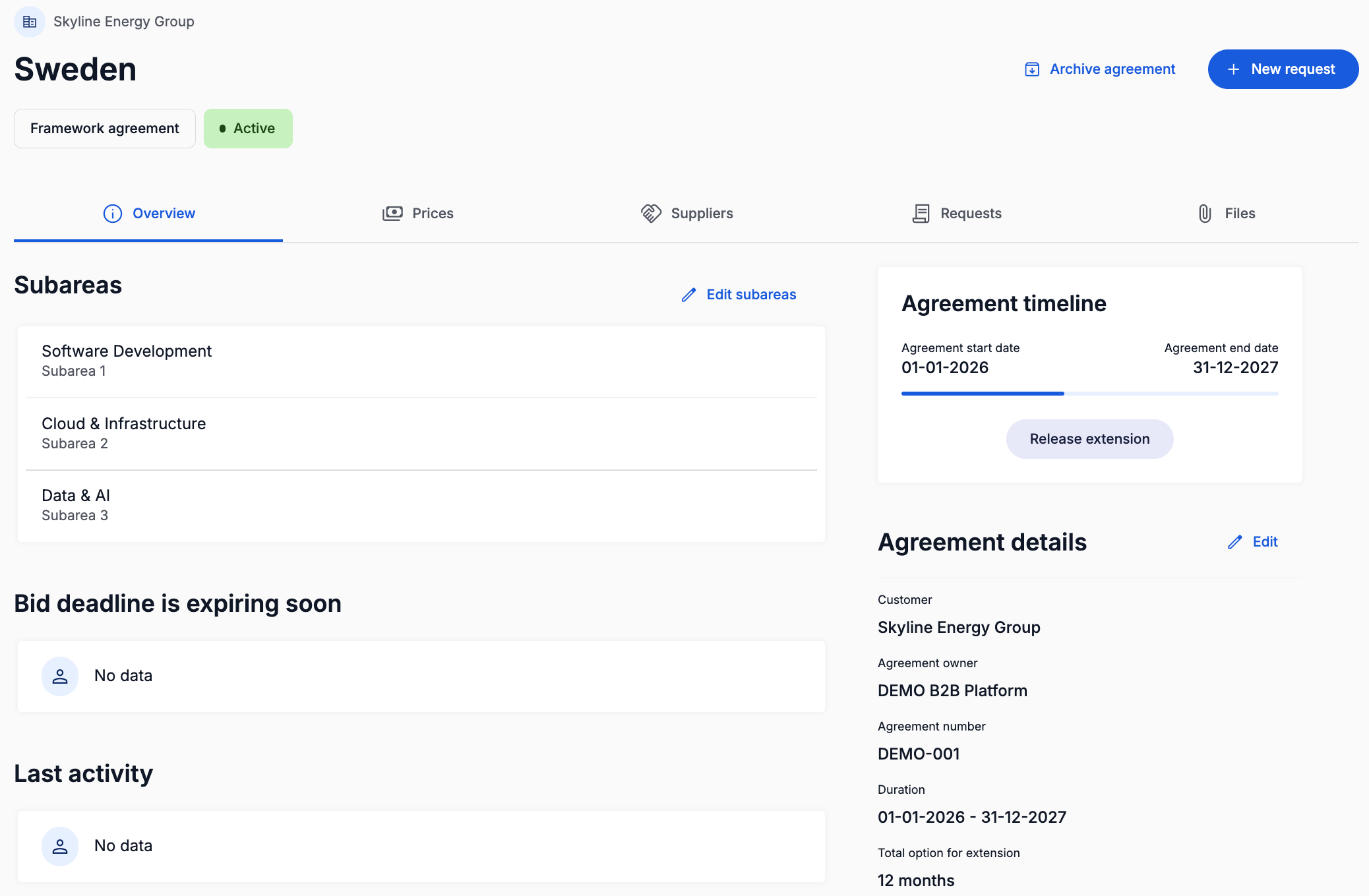
Configure Subareas
Subareas define the categories or competency domains under the framework agreement.
Examples may include:
Project Management
IT Architecture
Development
Finance
Change Management
Subareas structure how Hiring Managers later categorise their Requests for Service.
Well-defined subareas ensure:
Better supplier targeting
Improved candidate matching
Clear reporting across categories
The structure should reflect the organisation’s actual consultant needs.
Review and Confirm
Before activation, review the agreement carefully.
Confirm that:
Customer information is correct
Agreement type matches your pricing strategy
Agreement number and name follow internal standards
Ownership structure is accurate
Validity period is correct
Subareas reflect operational needs
Once confirmed, the framework agreement can move forward in the setup process with pricing and supplier configuration.
Was this article helpful?
That’s Great!
Thank you for your feedback
Sorry! We couldn't be helpful
Thank you for your feedback
Feedback sent
We appreciate your effort and will try to fix the article