Configuring Pricing Inside a Framework Agreement
This article explains how Procurement configures pricing within a framework agreement in Flextribe.
Pricing configuration defines the financial boundaries within which suppliers can submit candidates. It is a core governance mechanism that ensures cost control, transparency, and consistency across consultant sourcing.
Pricing must be configured before a framework agreement can be activated.
Why Pricing Configuration Matters
The pricing structure determines:
The maximum rates suppliers can submit
The level structure used for consultants
How competition is structured
How Hiring Managers compare candidates
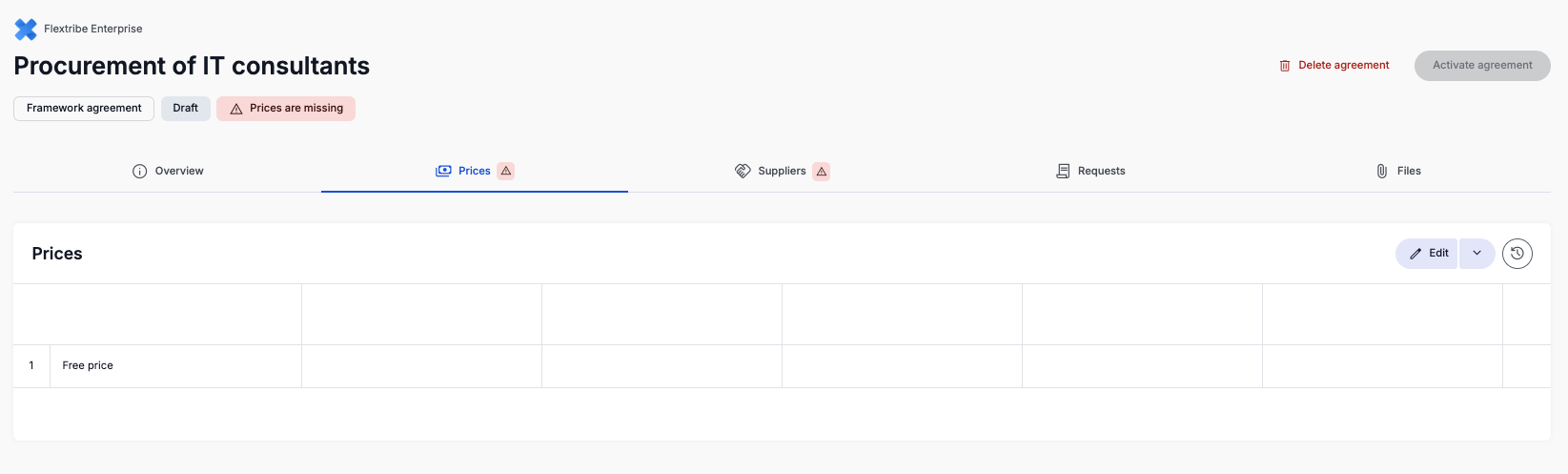
Accessing the Pricing Section
Inside the framework agreement, navigate to:
Pricing → Edit → Edit Individual Prices
From here, you can begin defining pricing levels.
Creating Price Levels
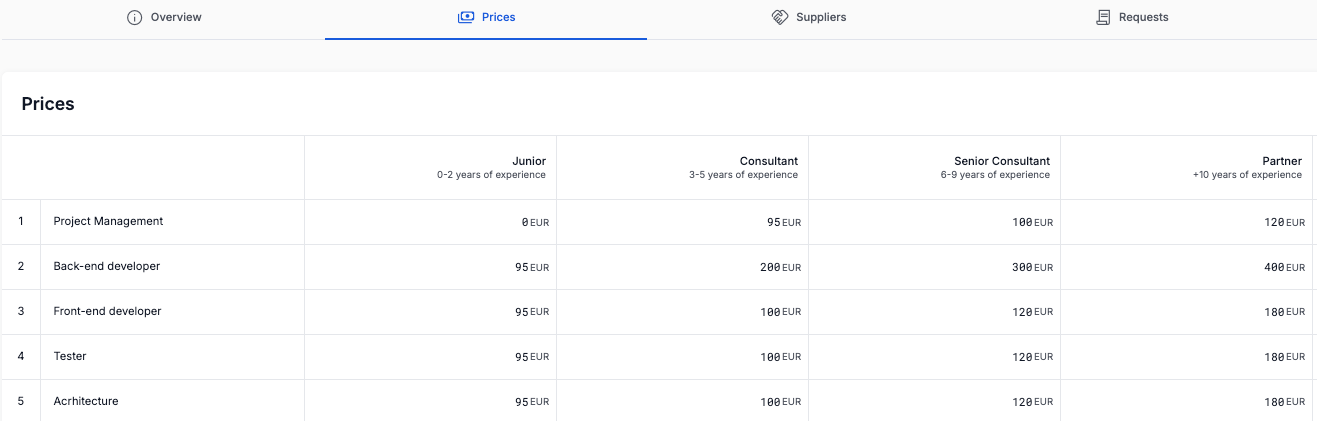
Click the + icon to create a new pricing level.
Each pricing level typically reflects a seniority or competency tier.
Common examples include:
Junior
Consultant
Senior
Expert
You may configure pricing based on your internal structure and negotiated supplier terms.
Activating Prices
Once all pricing levels are configured, select Activate Prices.
Pricing must be activated before the framework agreement can move forward.
Until pricing is activated:
The agreement remains incomplete
Suppliers cannot be fully configured
Hiring Managers cannot create Requests for Service
Once pricing is configured and activated, the next step in the framework setup process is:
Adding and approving suppliers.
Only when both pricing and suppliers are configured the framework agreement can be activated and made available to Hiring Managers.
Was this article helpful?
That’s Great!
Thank you for your feedback
Sorry! We couldn't be helpful
Thank you for your feedback
Feedback sent
We appreciate your effort and will try to fix the article