See who did what and when - on every request, contract, consultant and extension
What this guide covers
Where to find the activity log
How to read an entry
What is logged on each item
The approver view
Where to find it
Request - at the bottom of the request page. Covers creation, review, approval, candidates, negotiation and consultant creation.
Contract - on the contract page, under Documents. Covers creation, approval, signees and signing - for first contracts and extensions.
Consultant - the last section of the consultant card. A short summary of the consultant's lifecycle, with links to the related request, contract and extension.
Extension - on the extension. Covers the request, review, rate negotiation and the extension contract.
Projects - coming soon.
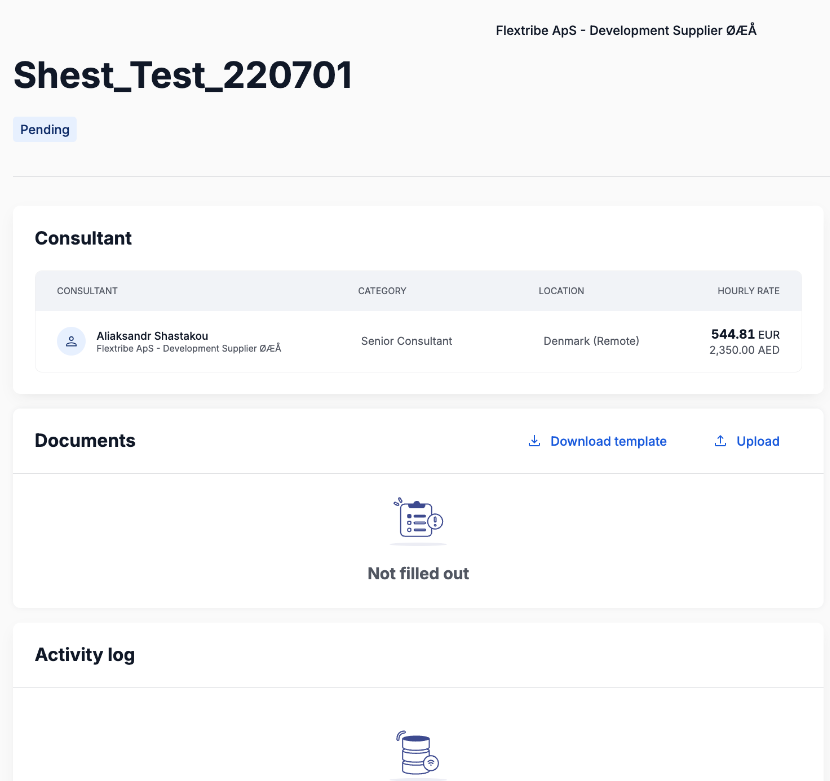
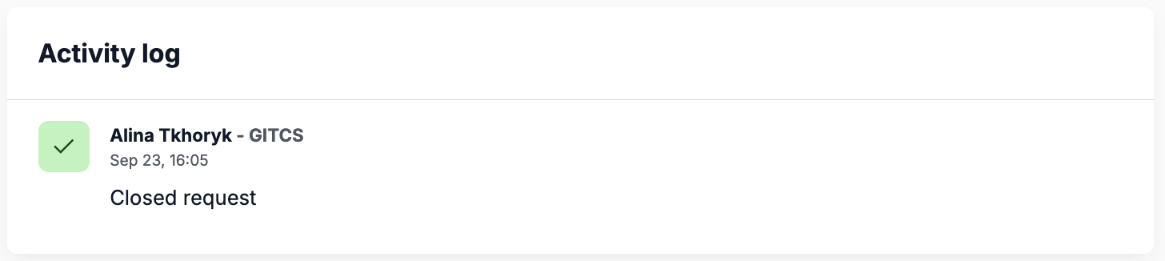
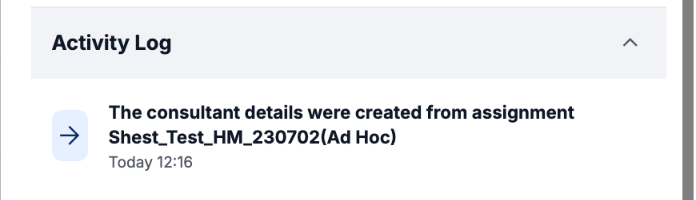
How to read an entry
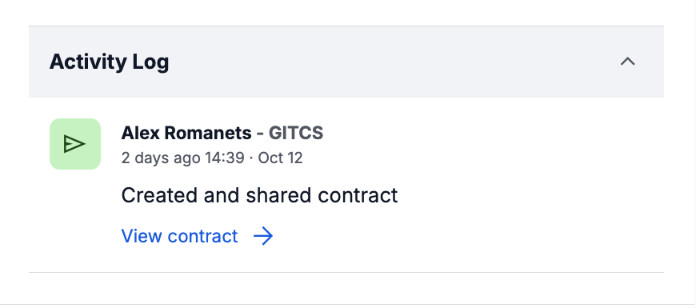
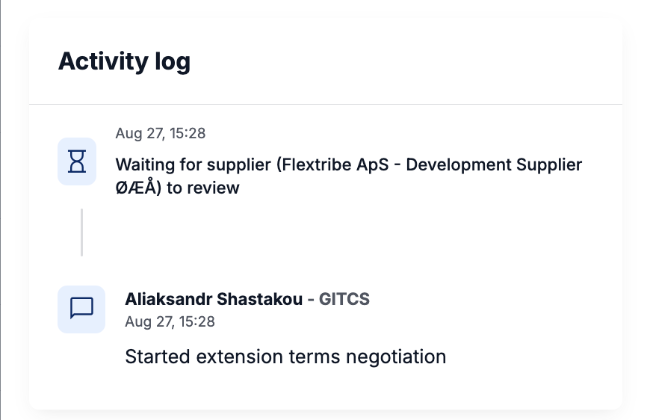
Icon - shows the type of event (for example a paper plane, check mark or cross), so you can scan quickly.
Name and role - who did it and in what role, for example Alex Romanets - Procurement.
Date and time - when it happened, for example Today 14:32, Yesterday 09:15, 2 days ago 14:39 or Sep 23, 16:05. Time is always shown.
Summary - what happened, for example Created and shared contract.
Details - extra context where relevant, such as a rejection reason or a before/after value.
Link - jumps to the related item, for example View contract.
The latest activity is always at the top. When the next step depends on someone, the log shows who it is waiting on - for example Waiting for supplier to review, or Waiting for approver reply.
What is logged
Request
Created the request · Added Procurement responsible · Reviewed and shared
Approved / Rejected (with reason) · Approved on behalf · Changed the approver, requester or interview manager
Extended the sourcing deadline
Nominated · Moved to interview · Selected · Not selected · Withdrew a candidate
Started negotiation · Agreed rate · Rejected rate
Closed / Canceled the request · Created consultant
Contract
Created and shared the contract
Approved / Rejected the contract terms · Approved on behalf · Changed the approver
Changed, added or removed a signee and re-sent for signing
Signed the contract · Contract status updated
Consultant
Added the consultant from the request · Consultant status updated
Created the contract · Requested an extension · Extended
Extension
Requested an extension · Reviewed and shared
Started terms negotiation · Agreed / Rejected rate
Created and shared the extension contract
For approvers
When you open a request or contract to approve it, you see a focused version of the log - only the events that matter for your decision, such as who created it, who reviewed it and the approvals so far.
Good to know
Can I edit or delete an entry? No. The log is a record of what happened.
Is every field change logged? No - only key actions. The log is not a full field-by-field audit.
Are Transfer, Replacement or End consultant logged? Not in this release.
Need help?
Use the Need help? button in the bottom-right corner of the platform, or write to hello@flextribe.io. We are happy to walk your team through the changes.
Was this article helpful?
That’s Great!
Thank you for your feedback
Sorry! We couldn't be helpful
Thank you for your feedback
Feedback sent
We appreciate your effort and will try to fix the article